Testing in a CI/CD Pipeline Part 1: PR testing
Why, how, when, where to perform testing in a CI/CD pipeline.

There is no doubt the benefits of TDD 🧪 or test driven development. Follow this awesome Twitter thread and I bet if you not a fan of TDD you will surely become one.
TDD is a lot more than just the Unit testing. Lets us see how we can design our CI/CD pipeline to adapt to the TDD approach.
Info: 💡💡💡
I am using the Azure DevOps pipeline as CI/CD tool. But I believe you will be able to implement it in other CI/CD tool too. Understanding the mechanism is key.
Let's break down the pipeline into three component and see how to perform a test there.
1. Pull request testing in brief 💼
PR testing is different from the system or unit testing. Let's see in brief (as the original intent of this guide is how to integrate it CI/CD pipeline)
- In unit testing, tests are performed to measure the correctness of the system's individual smaller or unit component.
- In contrast, PR testing is a testing stage where the functional test is performed on the complete scope branch which has to be merged.
- PR testing in CI/CD pipeline works best and integrates easily if your system is build using a Microservice approach.
2. General mechanics 🧰
Why
- To ensure the functionality code is working as expected.
- It helps to restrict the merging of any unintended commits.
- Ensures nothing breaks over collaboration.
How
- The core of running a PR test is the same as running a Unit test.
- All the tests which is used here are identical to Unit testing with a key difference of:
- Unit test are/should be performed locally whereas PR testing is performed over the remote.
- Code coverage of PR testing must be always more than the unit test because the intention of the unit test is to just check individual changes locally, whereas PR testing intention is to check for the complete branch which may more than one collaborative effort.
- It may be possible that you may not need a 100% passing of the Unit test (though this is not ideal) but PR testing must be 100% passing.
When
- PR testing should be performed at the time of a PR completion or merge activity.
Where
- It is always performed at Remote Repository (eg Github, Gitlab).
- It should be the first step of any CI/CD pipeline.
3. Implementation it in the Azure DevOps pipeline 🚀
- I am using python and pytest here. I am assuming that you will already have all the unit tests written and follow all conventions for pytest automatic test discovery.
- All you need to run is a terminal command
- task: CmdLine@2
  inputs:
    script: |
      # If you have setup.py
      python3 -m pip install .
      pytest -vv
    workingDirectory: '$(System.DefaultWorkingDirectory)'
- But the critical part here is How to make it automated? After all, this is part of CI/CD and the whole point of CI/CD is automation.
- This is a two-step process in Azure DevOps:
- Create a new pipeline dedicated to running the unit tests. The trigger should be the same as its parent build or CI pipeline.
trigger:
- develop

pool:
  vmImage: 'ubuntu-latest'

steps:

- task: UsePythonVersion@0
  inputs:
    versionSpec: '3.x'
    addToPath: true
    architecture: 'x64'

- task: CmdLine@2
  inputs:
    script: |
       # If you have setup.py
      python3 -m pip install .
      pytest -vv
    workingDirectory: '$(System.DefaultWorkingDirectory)'
Tip: 🤝🤝🤝
From above you can see I am using trigger as develop branch as this PR testing is intended for develop branch.
- Branch Policies:
- For enabling PR triggers we need to branch policies in Azure DevOps
- Goto Repo > Branch > Branch Policies > Build Validation
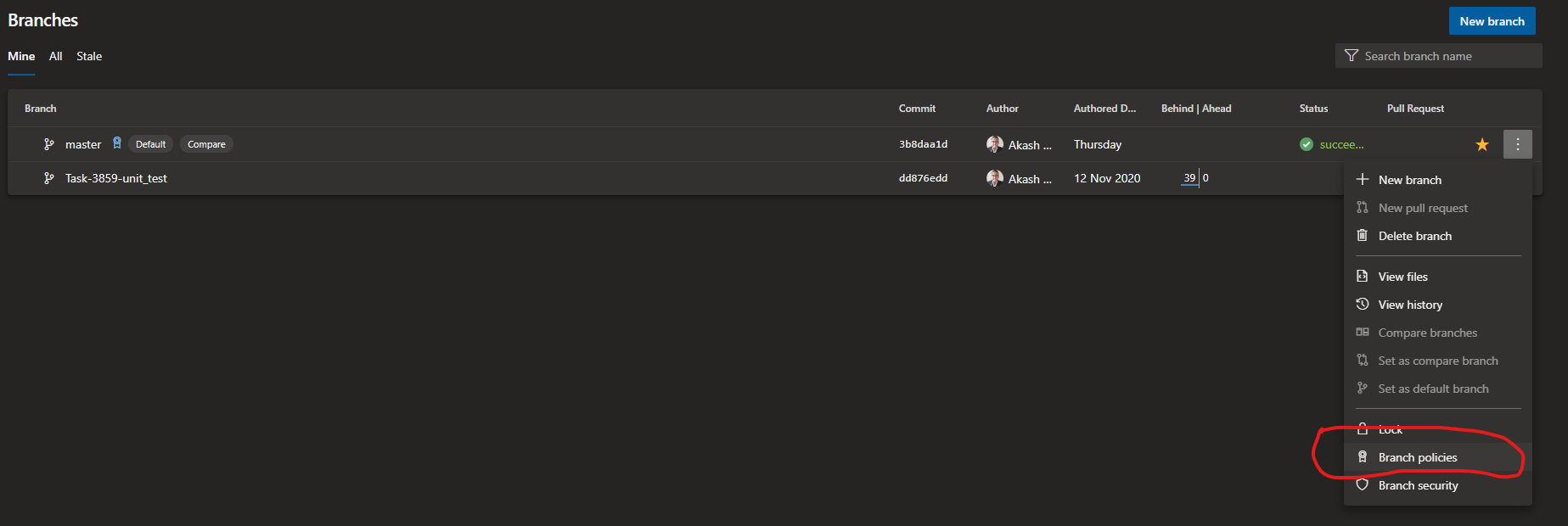 Img: Branch Policies
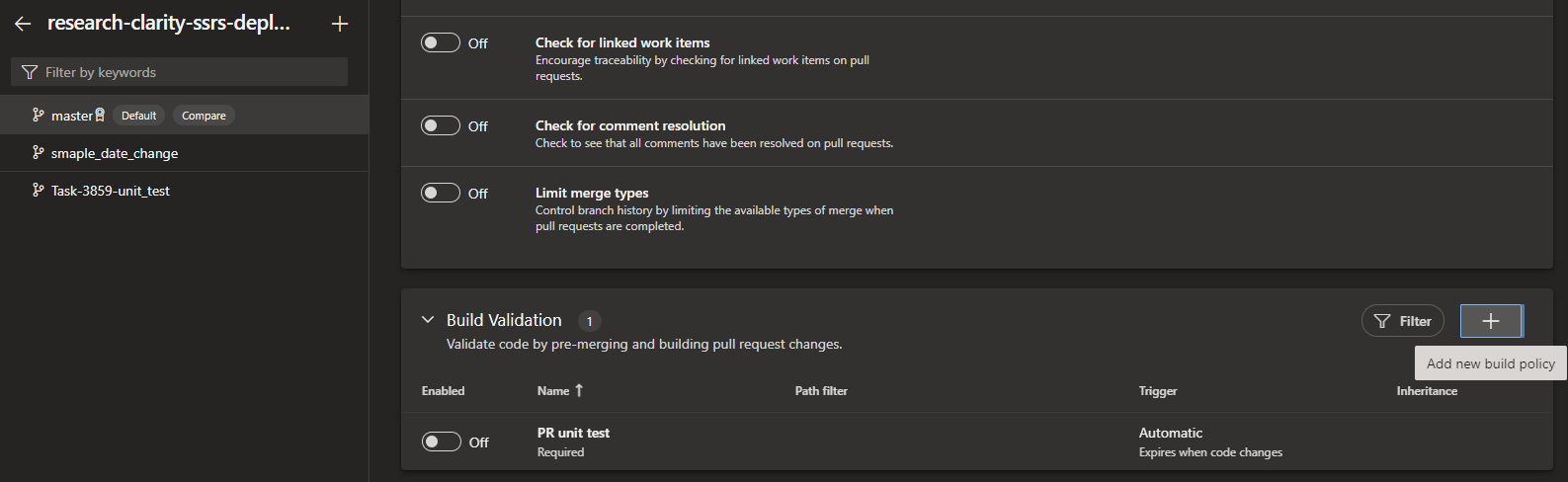 Img: Build Validation
- We have to add a build validation policy for the PR trigger. Out of all two settings is key,
- Trigger: Must be automatic
- Policy requirement: Required
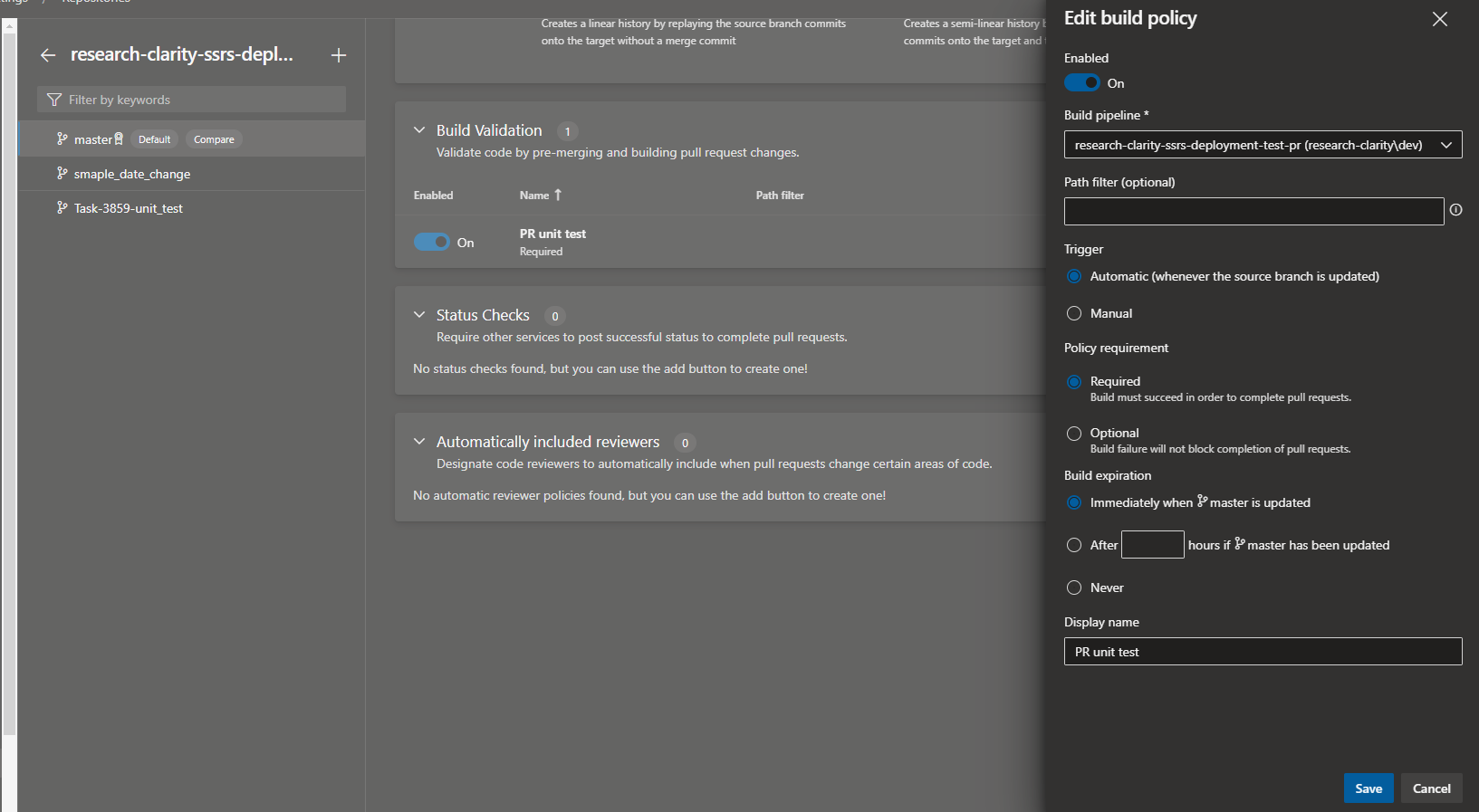 Img: Build Validation Policy
- See in the Build pipeline section, I am pointing to the PR testing pipeline that I showed earlier.
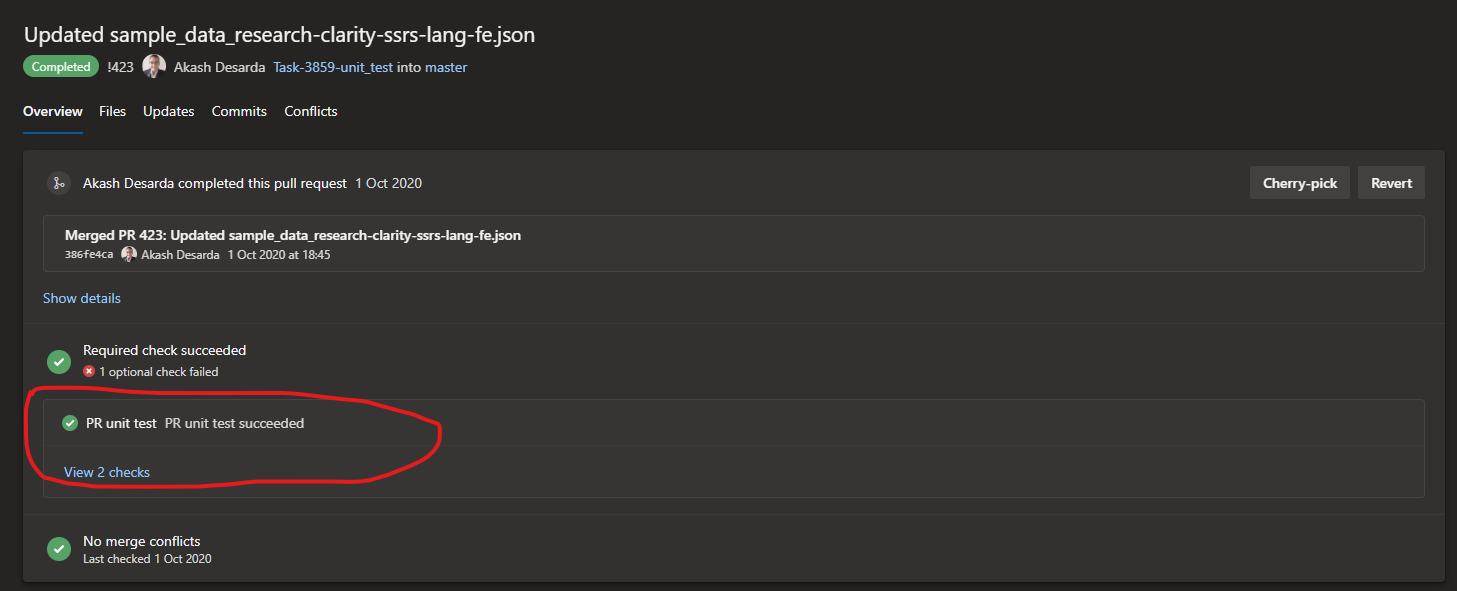
Img: How the PR testing works (see the marked item)
Comments
Join the discussionNo comments yet. Be the first to comment.
Tools
Tools are an essential part of developing good and consistent software. This is my attempt to help you out & shed some light on the tools that helped me because it's just an idea that all you need 💡.